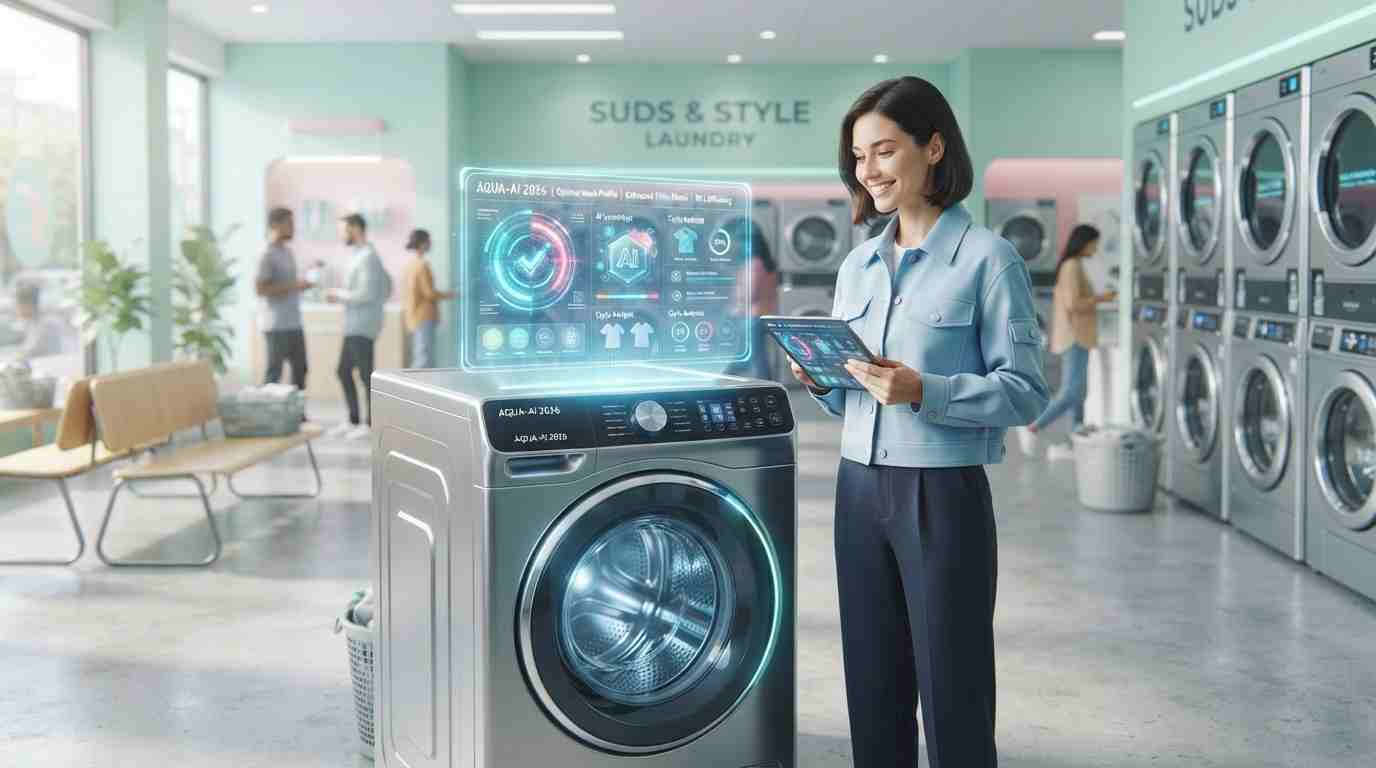
Running a laundry business today means more than clean clothes and fast turnaround. You’re also competing for attention on Instagram, Google Business Profile, WhatsApp status, and local Facebook groups. And attention needs visuals.
The problem? Not every laundry owner has a designer on speed dial or the budget for a full-time creative team. That’s where an AI image generator for laundry business marketing comes in handy. These tools let you create scroll-stopping posters, social posts, and ad creatives in minutes, without touching Photoshop.
In this guide, we’ll walk through the best AI image generator tools available in 2026, compare their pricing and features side by side, and show you exactly how a laundry or dry-cleaning business can put each one to work. We’ll also cover prompt examples, common mistakes, and when it still makes sense to hire a human designer.
Let’s get into it.
Why Laundry Businesses Should Use AI Image Generators
Before we compare tools, it’s worth understanding why this matters for your business specifically.
- Low-cost visual marketing. Traditional design work or stock photography can cost thousands over a year. Most AI design tools cost less than a single client’s monthly laundry bill.
- Faster turnaround for offers and promos. Weekend discount? Festival offer? You can generate a poster in under 10 minutes instead of waiting days for a designer.
- Consistent branding across platforms. Good AI design tools let you reuse colors, fonts, and logos, so your laundry advertising looks the same on Instagram, Google Ads, and in-store posters.
- More laundry social media ideas, faster. When content creation is quick, you’re more likely to actually post regularly instead of going quiet for weeks.
- Levels the playing field. A single-location laundromat can now produce visuals that look as polished as a national franchise.
Simply put, AI marketing for laundry businesses isn’t about replacing your brand voice. It’s about giving small and mid-sized laundry operators the visual firepower that used to be reserved for big budgets.
Comparison Table: Best AI Image Generators for Laundry Business Marketing
Here’s a quick snapshot before we go tool by tool.
| Tool | Best For | Starting Price | Free Plan | Laundry Use Case Fit |
| ChatGPT Image Generator | All-around ease of use | $20/month (Plus) | Yes, limited | Quick social posts, promo graphics |
| Midjourney | Premium, artistic visuals | $10/month | No | High-end brand imagery, billboards |
| Adobe Firefly | Commercial-safe editing | $9.99/month | Yes, limited | Photo retouching, ad banners |
| Canva AI | Templates + design in one | $12.99/month | Yes, generous | Flyers, social posts, menus/pricing cards |
| Ideogram | Text-in-image accuracy | $8/month | Yes, limited | Posters with slogans and offers |
| Leonardo AI | Fine control over style | $12/month | Yes, limited | Custom branded illustrations |
| Google Imagen | Realistic photo generation | Via Google AI plans | Yes, limited | Lifestyle and product-style photos |
| Microsoft Designer | Quick Microsoft-ecosystem design | Free with Microsoft 365 | Yes | Newsletters, simple flyers |
| Recraft | Vector graphics and logos | $10/month | Yes, limited | Logos, icons, clean brand assets |
| Stable Diffusion | Free, customizable, open-source | Free (self-hosted) | Yes | Bulk image generation, full control |
Pricing changes frequently, so always check the provider’s website for the latest plans before subscribing.
In-Depth Reviews of the Best AI Image Generators
1. ChatGPT Image Generator
Overview: Built into ChatGPT, this image generator lets you describe what you want in plain language and get a finished visual back in the same chat window. It’s become one of the most popular entry points into AI design tools simply because so many business owners already use ChatGPT daily.
Best for: Business owners who want one tool for writing captions, planning promotions, and generating images together.
Key features:
- Generates images directly from conversational prompts
- Can edit or refine an image through follow-up messages
- Understands context from earlier chat messages
- Good at combining text and graphics in one image
Pros:
- Extremely easy for beginners
- No need to learn a separate design app
- Great for quick social media graphics
Cons:
- Less precise control over fine art styles compared to Midjourney
- Text rendering can occasionally be inconsistent
- Limited free image generations per day
Pricing: Free tier with limited generations; ChatGPT Plus starts around $20/month.
How a laundry business can use it: Ask it to create a “50% off weekend laundry offer” poster with your brand colors, or generate a friendly cartoon mascot for your delivery van branding. It’s also handy for quickly turning a customer testimonial into a shareable graphic.
2. Midjourney
Overview: Midjourney is known for producing some of the most visually striking, artistic images of any AI tool. It runs through Discord and, more recently, its own web app, and is popular with designers who want a premium look.
Best for: Businesses wanting high-end, artistic laundry advertising visuals for big campaigns or print billboards.
Key features:
- Highly realistic and artistic image quality
- Strong stylistic control (cinematic, minimalist, vintage, etc.)
- Upscaling for large-format printing
- Active community for prompt inspiration
Pros:
- Best-in-class visual quality
- Great for eye-catching hero images
- Large prompt community to learn from
Cons:
- Steeper learning curve for beginners
- No free plan
- Less intuitive for quick, simple graphics
Pricing: Plans start around $10/month for basic usage.
How a laundry business can use it: Great for a hero banner image on your website, a striking Diwali or New Year laundry offer poster, or premium visuals for a dry-cleaning brand that wants to look upscale.
3. Adobe Firefly
Overview: Adobe Firefly is Adobe’s generative AI tool, built with commercial safety in mind, meaning it’s trained to avoid copyright issues, which matters if you’re running paid laundry advertising.
Best for: Businesses already using Adobe products like Photoshop or Express who want AI generation plus safe commercial usage rights.
Key features:
- Text-to-image generation
- Generative fill and background replacement
- Integrated directly into Photoshop and Adobe Express
- Commercially safe training data
Pros:
- Peace of mind for commercial use
- Excellent photo editing integration
- Good for cleaning up real photos of your laundromat
Cons:
- Best features require an Adobe subscription
- Slightly less imaginative than Midjourney for artistic work
Pricing: Free limited plan; paid plans start around $9.99/month.
How a laundry business can use it: Use it to remove clutter from real photos of your storefront, add a clean background to a product shot of your detergent shelf, or generate quick ad banners for Google Display ads.
4. Canva AI
Overview: Canva has long been a favorite for small business owners, and its AI features (Magic Media, Magic Design) are built directly into the same drag-and-drop editor you may already use for social posts.
Best for: Beginners who want templates, image generation, and easy editing all in one place.
Key features:
- AI image generation inside the Canva editor
- Thousands of ready-made templates for flyers and social posts
- Brand kit for consistent colors, fonts, and logos
- Resize designs instantly for different platforms
Pros:
- Very beginner-friendly
- One tool covers design + AI generation
- Huge template library specifically for local businesses
Cons:
- AI image quality is good but not top-tier
- Some premium templates and features are locked behind Canva Pro
Pricing: Free plan available; Canva Pro starts around $12.99/month.
How a laundry business can use it: This is often the best starting point for laundry social media ideas. Create a weekly offer post, a price list graphic, a WhatsApp status image, or a loyalty card design, all without leaving the app.
5. Ideogram
Overview: Ideogram has built a reputation for one specific strength: getting text inside images to look right. If you’ve ever had an AI tool mangle your poster’s headline, this tool solves that problem.
Best for: Posters and ads where the offer text needs to be clear and correctly spelled.
Key features:
- Strong text rendering accuracy
- Multiple style presets (realistic, design, 3D, anime)
- Simple prompt-based interface
- Fast generation speed
Pros:
- Best-in-class for text-heavy designs
- Easy to use for non-designers
- Good balance of speed and quality
Cons:
- Fewer advanced editing tools than Canva or Firefly
- Style range is good but not as broad as Midjourney
Pricing: Free tier available; paid plans start around $8/month.
How a laundry business can use it: Perfect for generating a poster that says “Same Day Laundry Service” or “Flat 20% Off This Week” without the text looking garbled or misspelled.
6. Leonardo AI
Overview: Leonardo AI gives users fine-grained control over image style, making it popular with small businesses that want a specific, repeatable visual identity.
Best for: Businesses that want a custom, consistent illustrated style across all their marketing.
Key features:
- Custom model training for consistent style
- Multiple generation modes (photo-real, illustration, product shots)
- Canvas editor for touch-ups
- Prompt guidance tools for beginners
Pros:
- Good balance of control and ease of use
- Strong for building a repeatable visual brand
- Useful free tier for testing
Cons:
- Learning curve for advanced features
- Some tools are better suited to bigger campaigns than daily posts
Pricing: Free plan with daily credits; paid plans start around $12/month.
How a laundry business can use it: Create a recurring illustrated mascot (say, a friendly washing machine character) that appears across all your social posts and packaging for a memorable brand look.
7. Google Imagen
Overview: Google’s Imagen model, accessible through Google’s AI tools and Gemini apps, is known for producing highly realistic, photo-like images.
Best for: Businesses wanting realistic “lifestyle” style photos without a real photoshoot.
Key features:
- Photorealistic image generation
- Integration with Google’s broader AI and Workspace tools
- Good understanding of natural language prompts
- Strong lighting and detail accuracy
Pros:
- Very realistic results
- Good for product and lifestyle-style imagery
- Backed by Google’s infrastructure and reliability
Cons:
- Access depends on your Google AI subscription tier
- Less focused on stylized or artistic branding
Pricing: Available through Google’s AI subscription plans; check current Google AI pricing for details.
How a laundry business can use it: Generate a realistic image of neatly folded towels or a clean, modern laundromat interior for your website, even if your actual store photos aren’t professional quality yet.
8. Microsoft Designer
Overview: Microsoft Designer combines AI image generation with ready-to-use templates, and it’s especially convenient if your business already runs on Microsoft 365.
Best for: Business owners who want a free, no-fuss design tool tied into tools they already use, like Outlook and Word.
Key features:
- AI image generation from text prompts
- Template-based design for flyers, posts, and cards
- Direct integration with Microsoft 365 apps
- Simple drag-and-drop layout editor
Pros:
- Free with a Microsoft 365 subscription
- Beginner-friendly interface
- Fast for simple graphics
Cons:
- Less powerful than dedicated AI art tools
- Smaller template library compared to Canva
Pricing: Free with Microsoft account; enhanced features included with Microsoft 365 subscriptions.
How a laundry business can use it: Quickly whip up a flyer for a local newsletter, an email header for a promotional campaign, or a simple graphic to print and post on your shop’s notice board.
9. Recraft
Overview: Recraft focuses on vector-style graphics, icons, and clean brand assets, which makes it a strong option if you need a logo refresh or scalable icons for your app or signage.
Best for: Logos, icons, and clean, scalable brand graphics.
Key features:
- Vector image generation (scalable without losing quality)
- Icon and pattern generation
- Style consistency tools for brand kits
- Background removal and image editing
Pros:
- Excellent for logos and print-ready graphics
- Vector output scales cleanly for signage
- Good style consistency across assets
Cons:
- Less suited for photorealistic marketing images
- Smaller community and template base than Canva
Pricing: Free limited plan; paid plans start around $10/month.
How a laundry business can use it: Design a fresh logo, create simple icons for your service menu (wash, iron, dry-clean), or produce clean signage graphics for your storefront.
10. Stable Diffusion
Overview: Stable Diffusion is an open-source AI image model that you can run through various apps or your own setup. It’s the go-to option for businesses that want maximum control and no recurring subscription cost.
Best for: Tech-comfortable users who want unlimited generation and full customization without ongoing fees.
Key features:
- Open-source and free to run
- Highly customizable through community models and plug-ins
- No content restrictions beyond platform-specific hosting rules
- Large community of tutorials and templates
Pros:
- No subscription required if self-hosted
- Extremely flexible and customizable
- Large library of community-trained styles
Cons:
- Requires more technical setup than other tools
- Steeper learning curve for non-technical users
- Quality depends heavily on your prompt skills and setup
Pricing: Free if self-hosted; some hosted versions charge a small monthly fee for convenience.
How a laundry business can use it: Ideal if you (or someone on your team) is comfortable with tech and wants to generate large batches of marketing images regularly without paying per generation.
10 Example AI Prompts for Laundry Marketing Images
Use these as starting points, then tweak them to match your brand colors and tone.
- “A bright, modern laundromat storefront with clean glass windows and a welcoming entrance, daytime, photorealistic.”
- “A poster design announcing ‘20% Off This Weekend Only’ for a laundry service, bold typography, blue and white color scheme.”
- “A friendly cartoon mascot of a smiling washing machine character, waving, flat illustration style.”
- “Neatly folded white towels stacked on a wooden shelf, soft natural lighting, minimalist aesthetic.”
- “A social media square graphic promoting free pickup and delivery for laundry service, clean modern layout.”
- “An illustration showing a busy professional dropping off laundry and picking up clean folded clothes the next day, simple flat design.”
- “A festive laundry service offer banner for a holiday season, warm colors, small decorative elements, clear discount text.”
- “A before-and-after style graphic showing a stained shirt on one side and a spotless clean shirt on the other.”
- “A loyalty card design for a laundry business with stamp icons for ’10th wash free’ promotion, playful and colorful.”
- “A realistic photo-style image of a delivery scooter with a laundry bag, city street background, golden hour lighting.”
Tips for Writing Better AI Image Prompts
Getting good results from any AI design tool comes down to how clearly you describe what you want.
- Be specific about style. Say “flat illustration” or “photorealistic” instead of leaving it vague.
- Mention colors and mood. “Warm and cozy” gives very different results than “bright and energetic.”
- Include the purpose. Adding “for a social media post” or “for a printed poster” helps the tool size and format things appropriately.
- Keep offer text short. If you want text in the image, short phrases like “Flat 20% Off” render far more reliably than long sentences.
- Iterate instead of starting over. Most tools let you refine a result. Small tweaks usually work better than completely new prompts.
- Reference your brand. If your brand colors are teal and white, say so directly in the prompt.